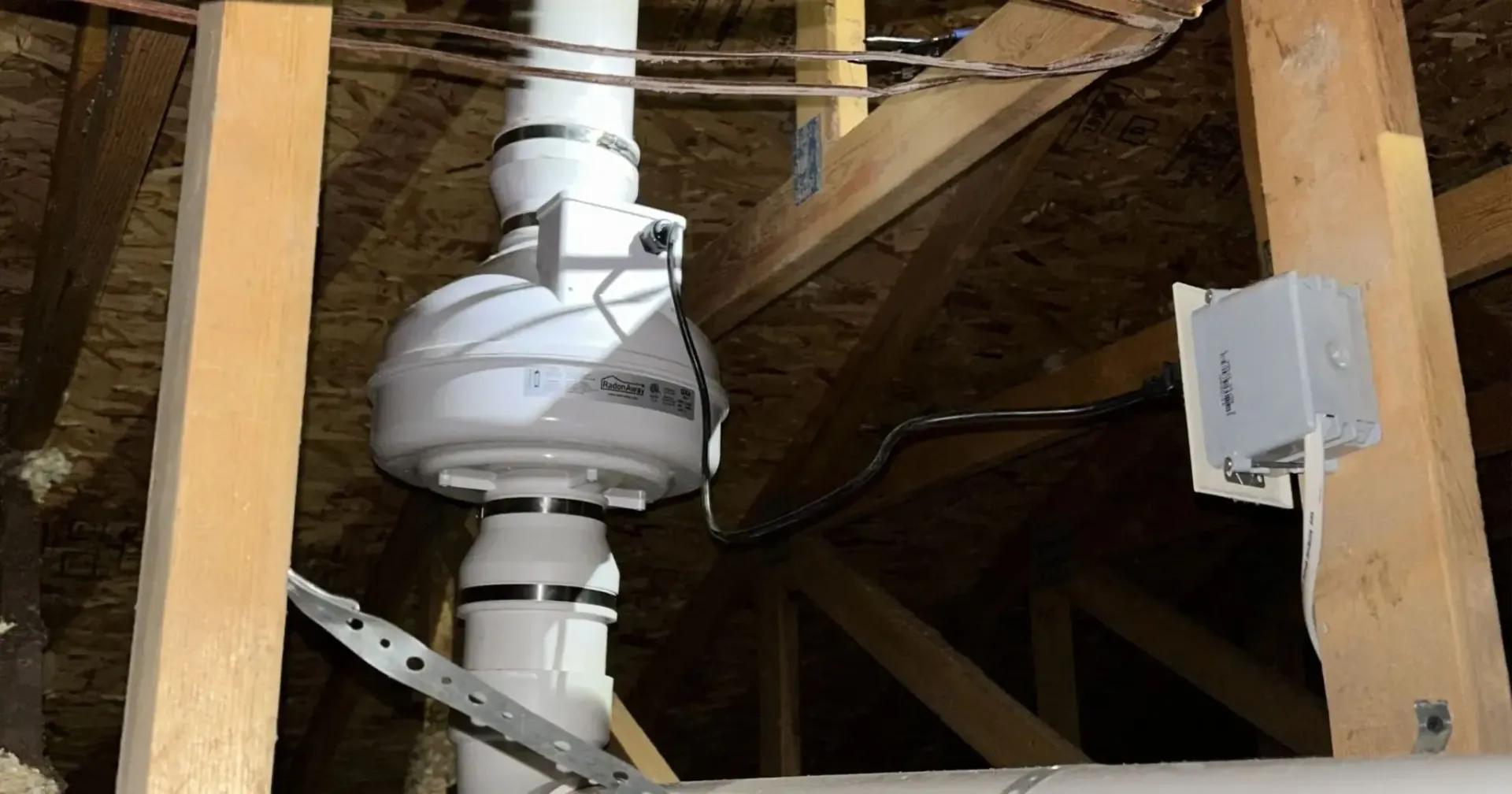
Radon fans play a crucial role in ensuring the safety and health of your home by mitigating radon levels. When these fans fail, the consequences can compromise the indoor air quality of your home, leading to serious
health risks. In this guide, we will walk you through common radon fan failures, how to address them, and give you detailed maintenance tips to help extend the life of your radon fan system. Read on to learn how to
diagnose radon fan problems, repair issues, and know when it might be time to replace your unit.
Get a Free Quote
Understanding the Importance of a Well-Functioning Radon Fan
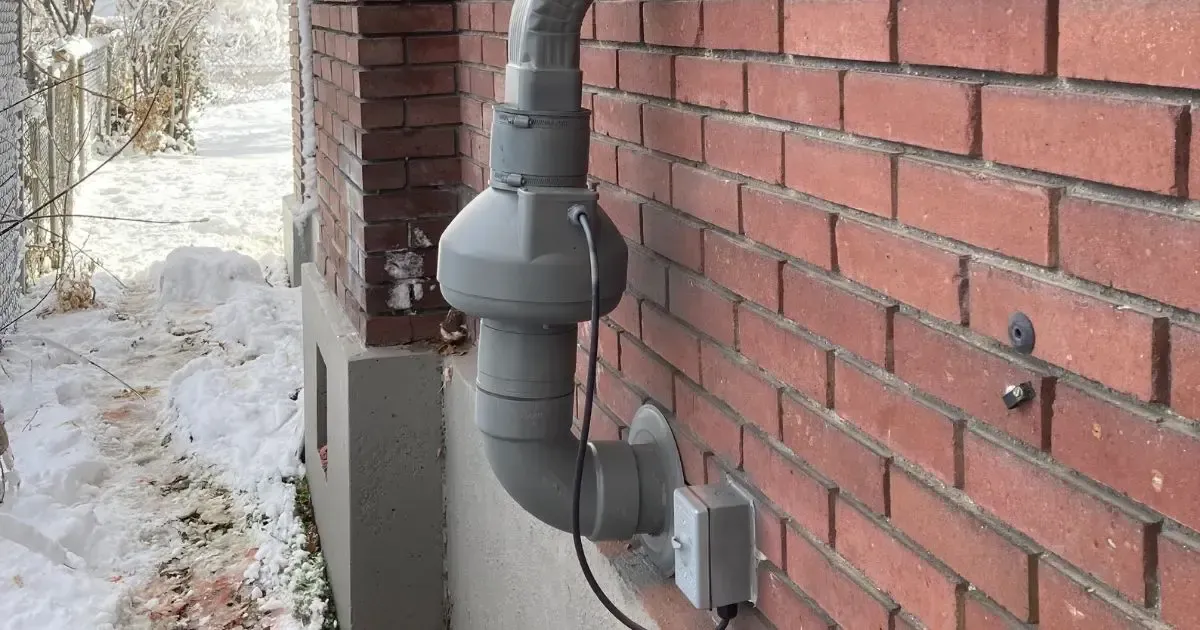
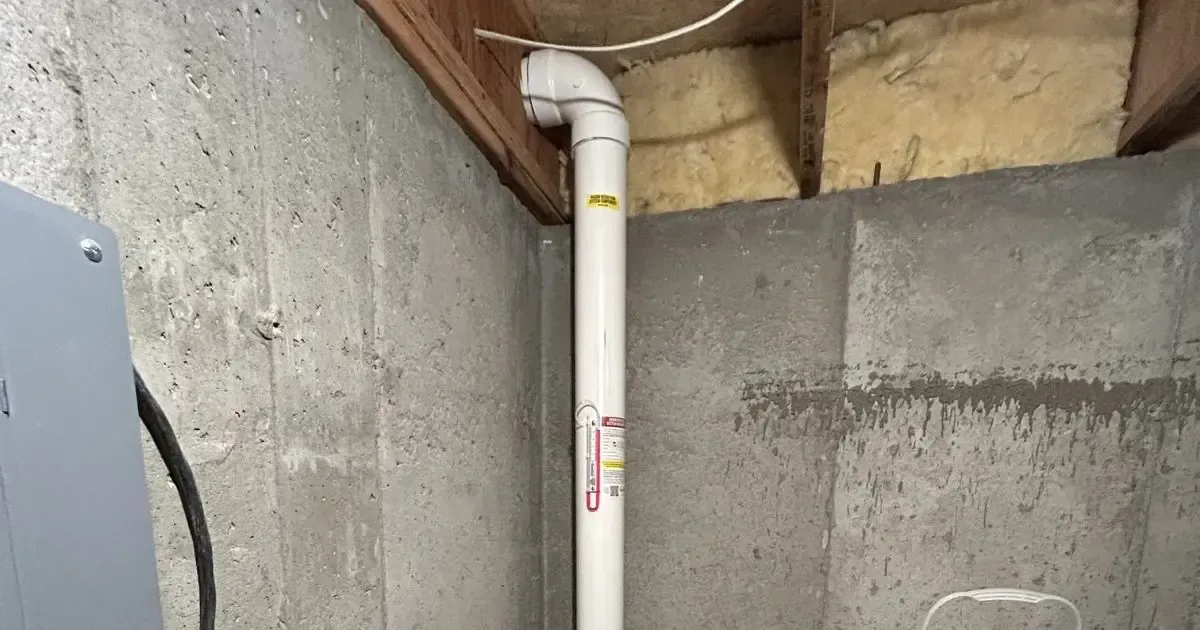
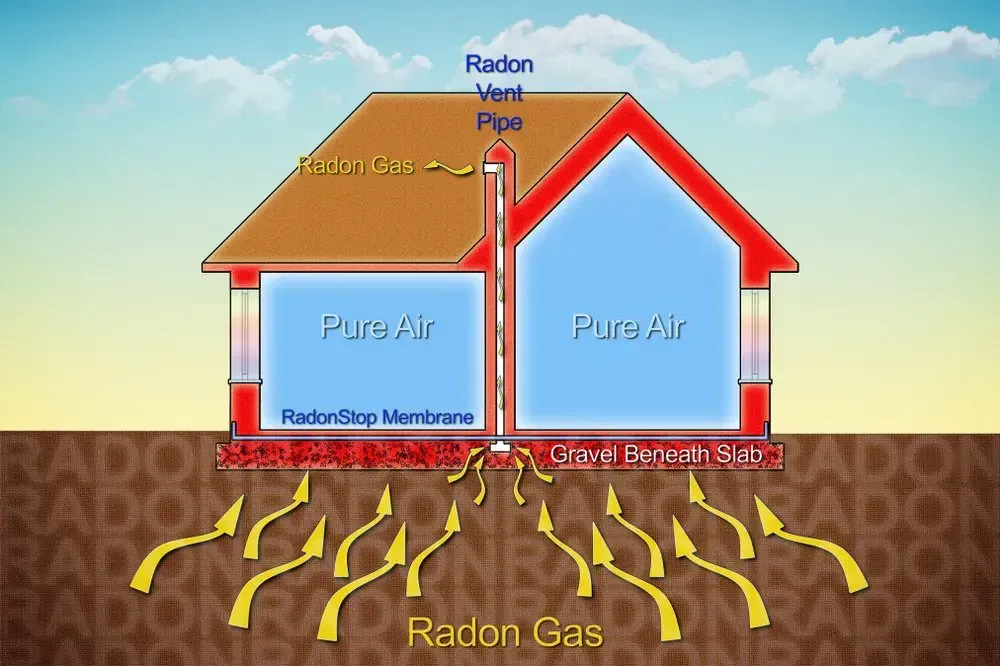
A kickback in the functioning of your radon fan can significantly impact your overall radon mitigation efforts. Radon is a naturally occurring radioactive gas that can seep into your home from the soil. Since radon is odorless and invisible, a properly working radon fan is essential for drawing radon gas out from underneath your home and directing it safely outdoors. When the fan fails, the radon levels can build up quickly indoors. In our experience, regular checks and maintenance have proved to be the most effective ways to prevent these setbacks.
Common Causes of Radon Fan Failures
There are several reasons why radon fans fail. Understanding these common issues can help you diagnose problems early and prevent unnecessary complications.
1. Mechanical Wear and Tear
Over time, moving parts in the radon fan can suffer from continuous operation, leading to mechanical fatigue. Key points to note include:
- Bearing wear: Bearings can degrade over time, leading to increased friction and eventual failure.
- Fan blade damage: Dust buildup or physical impact might damage the blades, causing inefficiencies.
- Motor burnout: Extended usage, sometimes without adequate ventilation, can cause the motor to overheat.
2. Electrical Malfunctions
Electrical issues form a significant percentage of radon fan failures:
- Loose connections: Over time, wiring connections can loosen due to constant vibrations. This can interrupt the flow of electricity to the motor.
- Short-circuiting: Exposure to moisture, dust, or debris can lead to short circuits that damage the electronic components.
- Voltage fluctuations: Sudden surges or drops in voltage may affect the performance and longevity of the fan’s motor.
3. Blockages and Obstructions
Blockages in your system can cause the fan to work harder than necessary:
- Dust and debris: Over time, dust can accumulate on the fan’s components, reducing airflow and causing overheating.
- Obstructed air pathways: Debris or even pests that nest along the ductwork can restrict airflow, causing the fan to struggle.
Diagnostic Steps for Radon Fan Failures
Before jumping into repairs, it’s essential to confirm that the fan is indeed the source of the problem. Follow these steps:
Visual Inspection
Start by
inspecting your radon fan and its components. Look for visible signs of wear, broken parts, or electrical damage. Check if the fan is receiving power by verifying that the plug is properly connected to its outlet.
Listen for Unusual Noises
If the fan produces unusual sounds like grinding, buzzing, or hissing noises, it could signal mechanical or electrical issues. These noise cues are very helpful in narrowing down the problem.
Check Airflow
Measure the airflow around the intake and exhaust parts of the fan. Reduced airflow may indicate blockages or motor issues. If available, use an airflow meter to pinpoint the problem area.
Examine the Ductwork
Ensure that the pathways for air movement are clear and free of obstructions. Sometimes, the problem isn’t the fan itself but the delivery system that channels the air outside.
Repair Solutions for Radon Fan Failures
Once you have determined the root cause of the radon fan failure, you can proceed with the repairs. For those who are comfortable with DIY projects and have basic technical skills, the following steps may be useful. However, if you have any doubts or if electrical components are involved, professional assistance is advised.
Mechanical Repairs
If you suspect that mechanical components are at fault, consider these repair tips:
- Replace worn-out bearings: Bearings are critical for smooth operation. Purchase replacement bearings that match your fan’s specifications and follow the manufacturer’s instructions for installation.
- Clean or replace fan blades: If the blades are dirty or damaged, they may need to be cleaned with a soft brush and a mild detergent. In cases of significant damage, replacing the blades is the better option.
- Lubricate moving parts: Regular lubrication reduces friction and extends the life of the fan. Use a lubricant that is approved by the manufacturer.
Electrical Repairs
For issues that involve electrical malfunctions:
- Tighten and secure connections: Inspect all wiring connections and tighten any loose terminals. This step can often resolve inconsistent power issues.
- Replace damaged wiring: If wires show signs of wear, fraying, or burn marks, they should be replaced immediately. Ensure all replacements are in line with local safety codes.
- Install a surge protector: Consider adding a surge protector to your electrical system to guard against voltage fluctuations that could damage your radon fan.
Addressing Airflow Blockages
Clear airflow blockages to ensure that your radon fan is operating efficiently. Some simple steps include:
- Regular cleaning: Dust and debris should be removed on a regular basis. Use a vacuum cleaner or brush to clean the fan’s surfaces and ducts.
- Inspect ducts and vents: Periodically check your ductwork for obstructions. If your system is complex, consider setting up a maintenance schedule to inspect the ducts at least once or twice a year.
Maintenance Tips to Prevent Future Failures
Preventive maintenance is key to ensuring the longevity and reliable performance of your radon fan. Here are some best practices:
Regular Inspections
Schedule periodic inspections to check for any signs of wear and tear. Early detection can save significant
repair costs and prevent system failures.
Clean Components Frequently
Dust accumulation can lead to overheating. Clean the fan, ducts, and surrounding areas on a routine basis – at least once every six months.
Test Functionality
Regularly test your system to ensure that the fan is functioning at its expected performance levels. A simple airflow test can make a big difference in identifying issues early.
Professional Service Checks
Even if your system appears to be running smoothly, scheduled professional inspections can detect hidden problems. This yearly checkup is an investment in safety and efficiency.
Get a Free Quote
Replacement Considerations: When Is It Time to Replace Your Radon Fan?
There are times when repairing the radon fan might not be the best course of action. Consider the following situations:
- Age of the System: If your radon mitigation system is more than a decade old, you might be better off replacing it entirely, especially if it has become less efficient.
- Recurring Issues: If you find yourself fixing the same problems repeatedly, replacement might be a more cost-effective option in the long term.
- Significant Upgrades: Technological advancements in radon mitigation systems have enhanced the efficiency and reliability of newer units. Upgrading to a modern radon fan can offer improved safety features and better energy efficiency.
Table of Common Problems and Suggested Fixes
Below is a quick reference table summarizing common radon fan issues and potential fixes:
![Blue periodic table tile for radon, element 86, with symbol Rn and mass [222].](https://le-cdn.hibuwebsites.com/09c3a4288d5947b58ca8220076f73b94/dms3rep/multi/opt/radon-periodic-table-rn-86-radon-be-gone-1920w.webp)