If you live in an area where radon levels are a concern, then you know how vital it is to ensure that your radon mitigation system is functioning properly. Your radon fan is the heart of that system, responsible for drawing radon gas away from your home and safely venting it outside. In this guide, we will provide you with a comprehensive look at how to tell if your radon fan is working correctly.
We’ll cover the important signs to watch for, including vibration checks, the humming sound, a look at your manometer, and airflow testing. Our detailed, step-by-step approach is designed to help you maintain a safe environment while giving you the confidence to troubleshoot minor issues before they become major problems.
Get a Free Quote
Understanding How a Radon Fan Works
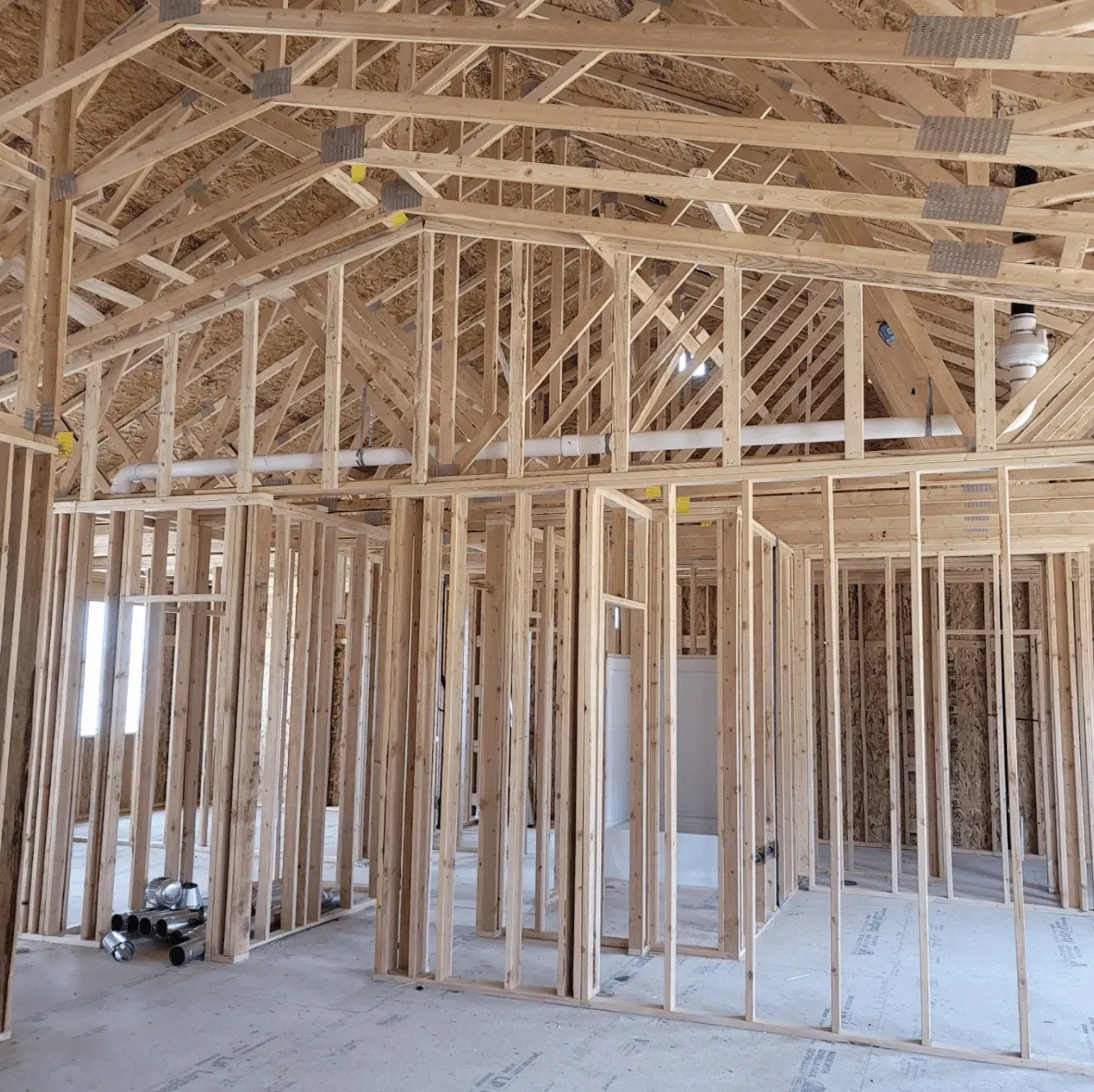
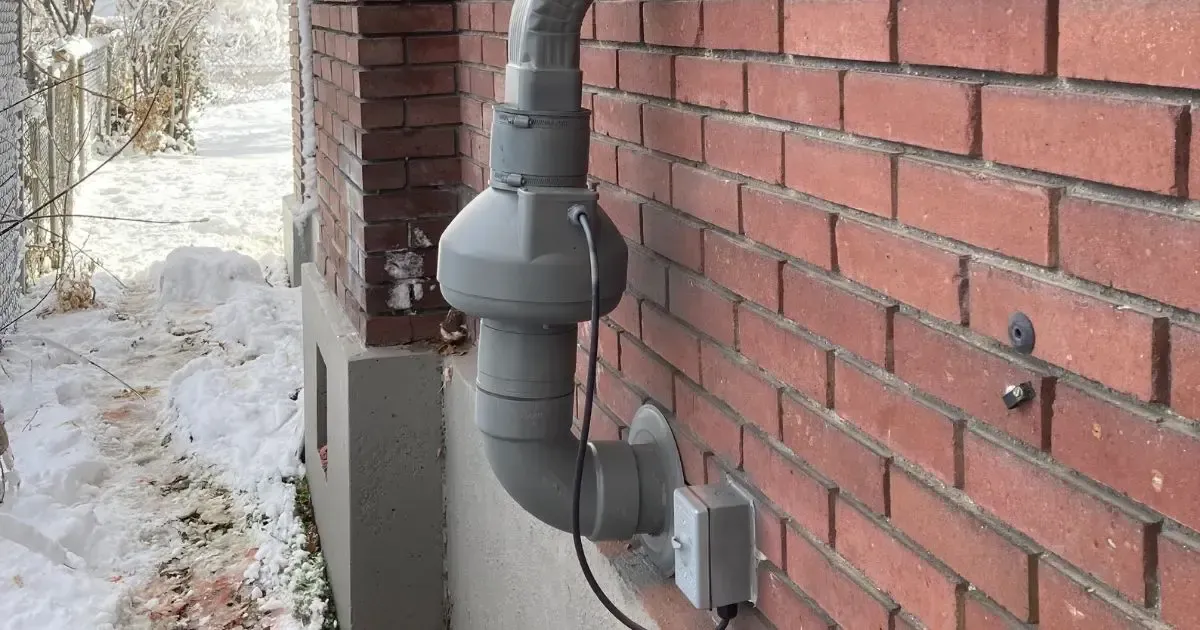
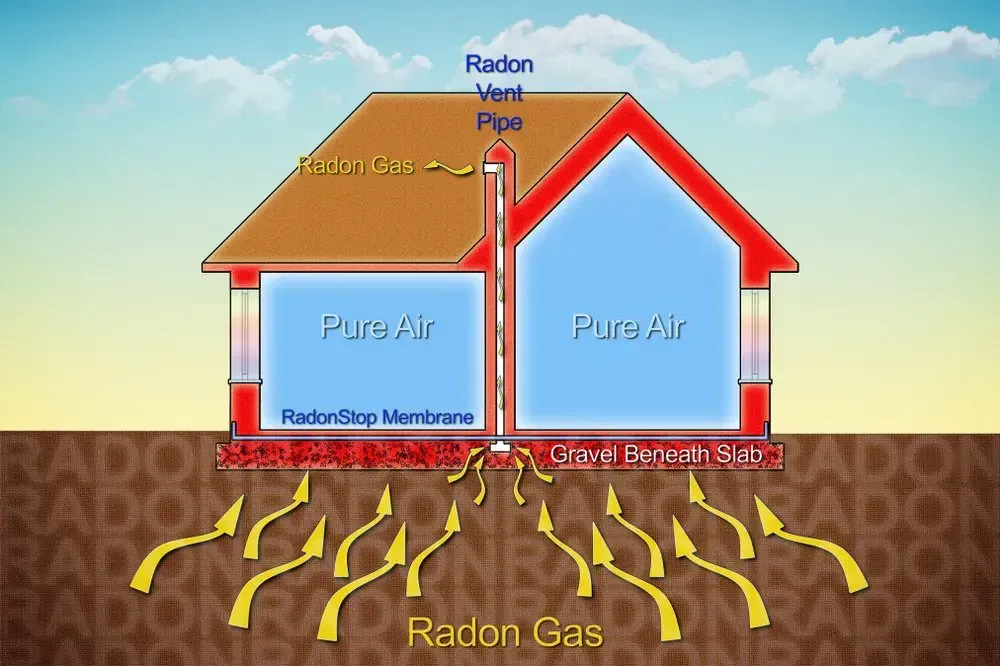
Before diving into the specific methods of checking your radon fan, it is helpful to understand its critical role in your radon mitigation system. Essentially, a radon fan works by creating a negative pressure field underneath your home. This negative pressure prevents radon gas from entering your living spaces by pulling it from beneath the foundation and venting it safely outside.
Many radon fan systems feature a control panel, a manometer, and sometimes even sensors that monitor the operating status of the unit. When working efficiently, the fan’s steady operation ensures that radon levels in your home remain at a safe and regulated level. Just like any other mechanical system, it requires periodic checks to confirm that it continues to perform as expected.
Key Signs to Check if Your Radon Fan Is Working
There are several indicators you can look for which will help you determine if your radon fan is functioning correctly. The following sections will guide you through each check, with a focus on practical steps and clear explanations.
1. Checking for Vibration
One of the first and easiest indicators of a properly functioning radon fan is the presence of a gentle vibration. This mild vibration is normal and signals that the motor is running and that the fan blades are turning. When you’re inspecting your fan, consider the following steps:
Steps to Check for Vibration:
- Ensure that the device is connected to a steady power source, and turn it on.
- Place your hand gently on the fan unit. A slight, consistent vibration means it is operational.
- If you feel no vibration, or if the fan feels unusually shaky or unstable, there could be an issue with the installation or a problem with the unit itself.
You might also want to schedule an annual check-up with our team to make sure that your equipment maintains its optimal performance.
2. Listening for the Humming Sound
The sounds made by your radon fan can tell you a lot about its condition. When the fan is operating as it should, it emits a low, steady humming sound. Here are some points to consider:
How to Use Sound as a Diagnostic Tool:
- Stand near the fan and listen closely. A smooth, continuous hum indicates that the motor is running consistently.
- If you notice any irregular or erratic sounds, like clicking noises or a sputtering hum, these could be signs of wear in the motor or obstructions in the fan.
- Sometimes, an entirely silent fan can also be a red flag, indicating it may not be drawing power or has experienced an electrical issue.
3. Inspecting the Manometer
The manometer is a critical part of your radon mitigation system. It measures the pressure differential created by the radon fan, and it gives you clear visual feedback on whether the fan is functioning as expected. Regularly checking your manometer is a straightforward yet powerful way to confirm that the system is operating properly.
Manometer Inspection Checklist:
- Verify that the manometer gauge is displaying a reading – typically, you should see a steady figure that indicates proper pressure differential.
- Look for any signs of fluctuation or instability. A constant drop or erratic movement might suggest that the fan is struggling to maintain the necessary pressure.
- If the gauge is not reading at all, this could indicate a problem with the sensor or an issue with the power supply to the fan.
4. Testing Airflow Effectively
Another crucial indicator that your radon fan is working is effective airflow. Insufficient airflow can be a sign that your fan is either underpowered or experiencing blockages. Below are some steps to ensure that the airflow is where it needs to be:
Steps for Testing Airflow:
- Locate the vent outlet where the radon gas is exhausted from your home.
- Place your hand near the outlet to feel the breeze; the airflow should be strong but not overpowering.
- Alternatively, you can use a smoke generator or an airflow meter. Both tools help visualize the amount of air movement. With a smoke generator, you will see the flow of air directly. For an airflow meter, note the numerical reading against what is normal for your model.
- If you notice that the air is barely moving, this could be a sign that the fan isn’t performing optimally. In that case, having a professional review your unit would be advisable.
Additional Maintenance Tips
Maintaining your radon mitigation system is not just about periodic checks – it’s also about adopting regular maintenance habits. Here are some extra tips to help prolong the life of your radon fan and ensure it keeps working properly:
Regular Cleaning
Dust and debris can accumulate in and around the fan over time. A simple cleaning now and then might be all you need to keep it in tip-top shape. Consider these practices:
Cleaning Steps:
- Turn off and unplug the unit.
- Use a soft cloth to gently wipe the fan blades and the exterior section of the fan.
- If your system has accessible air filters, check them periodically and replace if necessary.
- Inspect the area around the fan for any blockages or accumulated debris.
Regular cleaning not only helps with the performance of your fan but also extends its overall lifespan.
Check Electrical Connections and Wiring
Another aspect that might affect the performance of your radon fan is its electrical connections. Over time, wiring can become loose or corroded. A few routine checks can ensure that your system continues running without hiccups:
Here are a few simple steps to inspect your electrical components:
- Turn off the power supply to the unit to ensure safety.
- Carefully inspect all exposed wiring and connectors for any visible signs of damage or wear.
- If you notice corroded terminals or loose connections, do not hesitate to call in a professional technician.
Maintaining the Manometer and Sensors
In addition to checking for visible vibrations and sound, ensuring that your manometer and any associated sensors remain accurate is critical for the consistent functioning of your radon mitigation system. Consider these suggestions:
Sensor Maintenance Tips:
- Periodically clean the sensor areas to remove dust buildup that might affect readings.
- Ensure that the wiring connected to the sensors is secure and free of corrosion.
- If you observe any irregularity in the readings, consult with a professional to adjust or recalibrate the sensor.
Clear, accurate readings are essential for peace of mind—and they help to confirm that your radon fan is performing to its design specifications.
Get a Free Quote
When to Call a Professional
While many of the checks mentioned can be carried out by an attentive homeowner, there are times when professional help is necessary. Recognizing these moments is crucial:
Indicators That You Should Call a Professional:
- Your radon fan produces irregular sounds or vibrations that indicate something is amiss.
- You notice fluctuating readings on the manometer that do not stabilize after routine cleaning or maintenance.
- There is insufficient airflow or a complete failure of the unit to operate.
- Problems with the electrical components, such as frequent outages or loose connections, raise safety concerns.
When you experience one or more of these signs, it may be time to have the system inspected by a trained professional. Our team of certified radon mitigation experts is always available to conduct a thorough evaluation and provide any necessary repairs. Don’t hesitate to
get in touch with us if you suspect that your system is underperforming.
Frequently Asked Questions (FAQs)
Below are some of the most common questions we receive about radon fans, along with detailed answers that might help you better understand your system:
How often should I check my radon fan’s performance?
It’s a good idea to inspect your radon fan every six months. Additionally, if you live in an area with high levels of radon or suspect a problem, more frequent checks may be warranted.
What if my manometer reading fluctuates significantly?
Fluctuating readings can suggest issues with the fan’s performance or possible sensor malfunction. If you encounter this problem, start with a thorough cleaning and inspection. If the readings remain unstable, contact a professional for a detailed diagnosis.
Is it normal for the radon fan to be slightly noisy?
Yes, a consistent low humming noise is normal and indicates that the fan is in operation. However, loud or erratic noises suggest that something may be wrong with the system.
What maintenance tasks can I do on my own?
Routine tasks like cleaning the fan housing, checking for dust buildup, inspecting the manometer, and verifying that wiring is secure can typically be done by the homeowner. For any deeper issues or electrical repairs, it’s best to enlist the help of a professional.
How do I know if my airflow is sufficient?
You should feel a noticeable flow of air coming from the exhaust outlet. Using the right tools, such as an airflow meter or even a simple hand test, can help assess whether your system is drawing and venting air as it should.
Final Thoughts
Regularly checking your radon fan for proper operation is key to maintaining a safe and comfortable home environment. By paying attention to critical indicators such as vibration, the presence of a steady humming noise, stable readings on your manometer, and adequate airflow, you can catch potential issues before they escalate into more serious problems.
In addition to these checks, following a regular maintenance schedule and being proactive about small repairs can greatly extend the lifespan of your radon mitigation system.
Remember that your safety and peace of mind depend on the consistent performance of your radon fan, and no home is too small to benefit from a robust radon mitigation approach.
Our team is dedicated to ensuring that your mitigation system works as intended—efficiently and safely. If you have any questions or concerns, or if you need a professional inspection, our door is always open. Please do not hesitate to
contact us for assistance or to schedule a service appointment.
Get a Free Quote
![Blue periodic table tile for radon, element 86, with symbol Rn and mass [222].](https://le-cdn.hibuwebsites.com/09c3a4288d5947b58ca8220076f73b94/dms3rep/multi/opt/radon-periodic-table-rn-86-radon-be-gone-1920w.webp)